Dashboard version 1
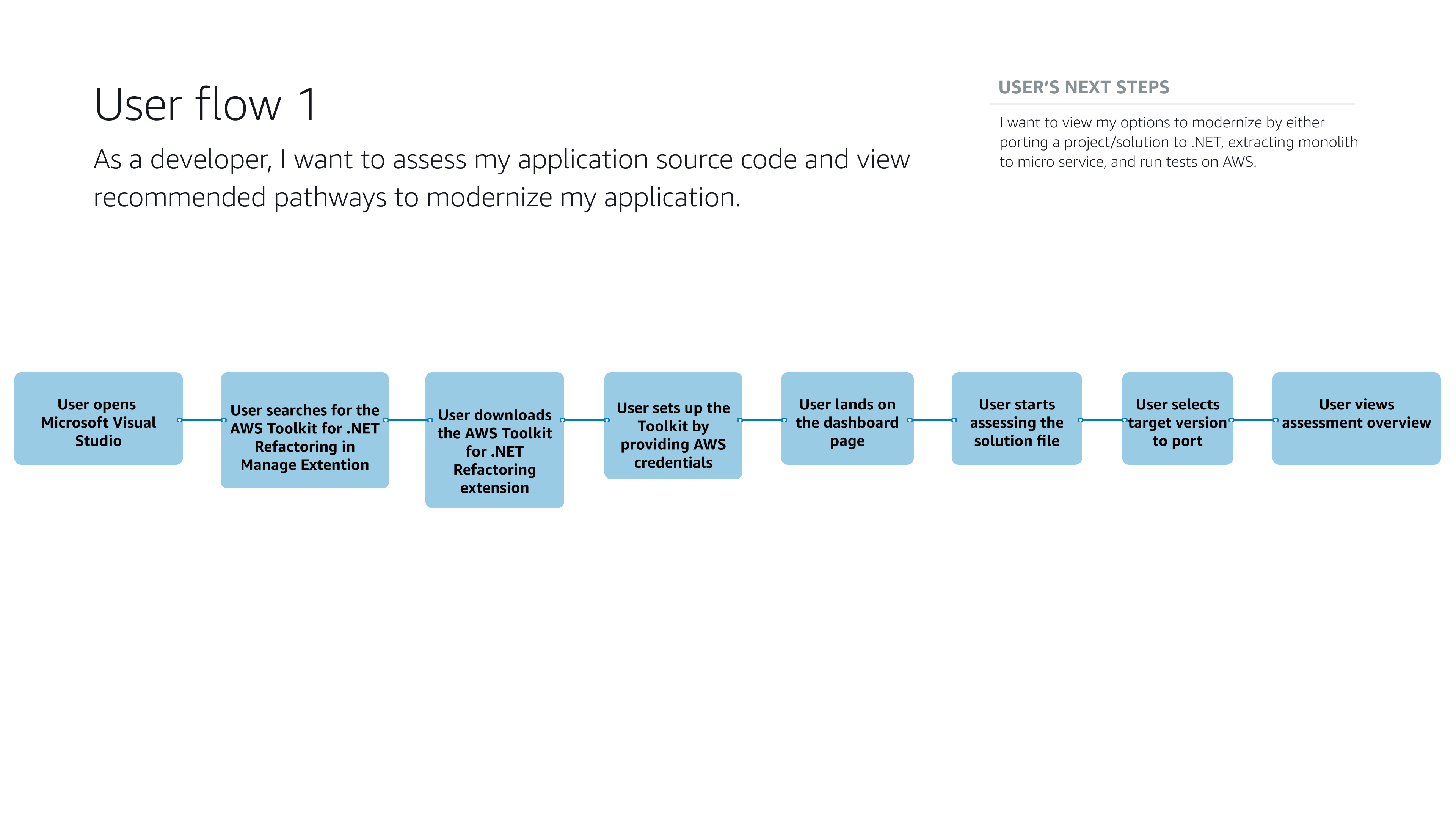
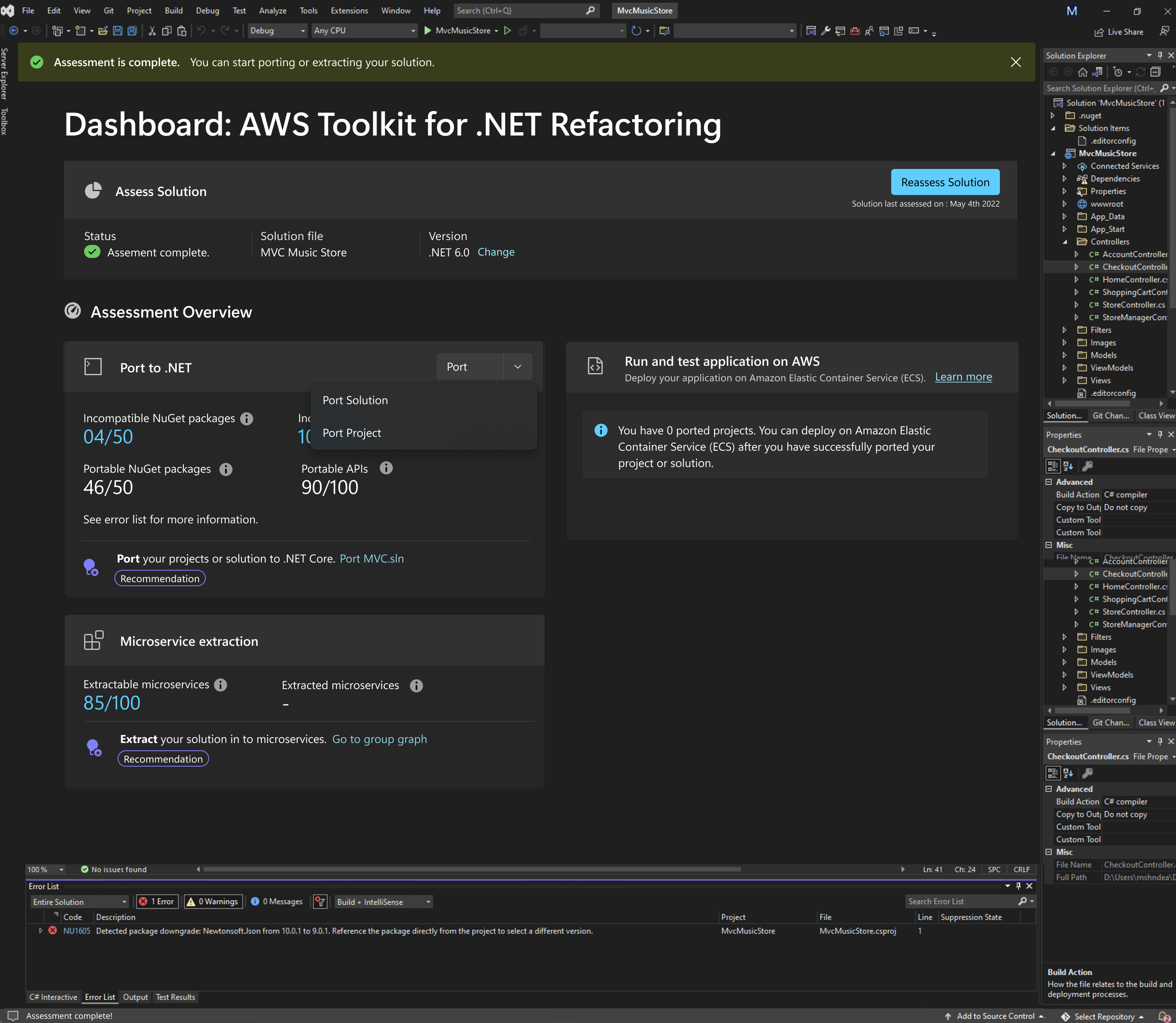
This dashboard page for the AWS Toolkit for .NET Refactoring is designed to guide developers through modernizing a legacy .NET solution inside their familiar IDE. At the top, the page confirms that the assessment is complete and surfaces key metadata such as the solution name and target .NET version, helping developers stay oriented before making changes.
The “Assessment Overview” section then breaks the journey into two primary workstreams: porting to .NET and running and testing on AWS, so users understand both code and deployment outcomes at a glance.Within the Port to .NET card, the UI exposes incompatible NuGet packages and APIs as clear counts and progress-style ratios, giving developers immediate visibility into what needs fixing and how far along they are. A port action sheet allows users to choose whether to port the entire solution or individual projects, supporting different refactoring strategies without overwhelming the interface. At the bottom of the card, a prominent recommendation button (“Port your projects or solution…”) turns insights into a one-click action, reducing friction between detection and remediation.
The Microservice extraction card focuses on decomposition, showing how many microservices can be extracted and how many are already extracted, again using simple numeric indicators to communicate progress. A dedicated action (“Extract your solution into microservices” with a link to “Go to group graph”) connects this dashboard to a deeper visualization tool, enabling developers to move from high-level status to detailed architecture views when needed. Overall, the page is structured as a refactoring command center that summarizes health, clarifies next steps, and offers context-aware actions, making complex modernization work feel manageable and predictable for developers.
Complex graphs
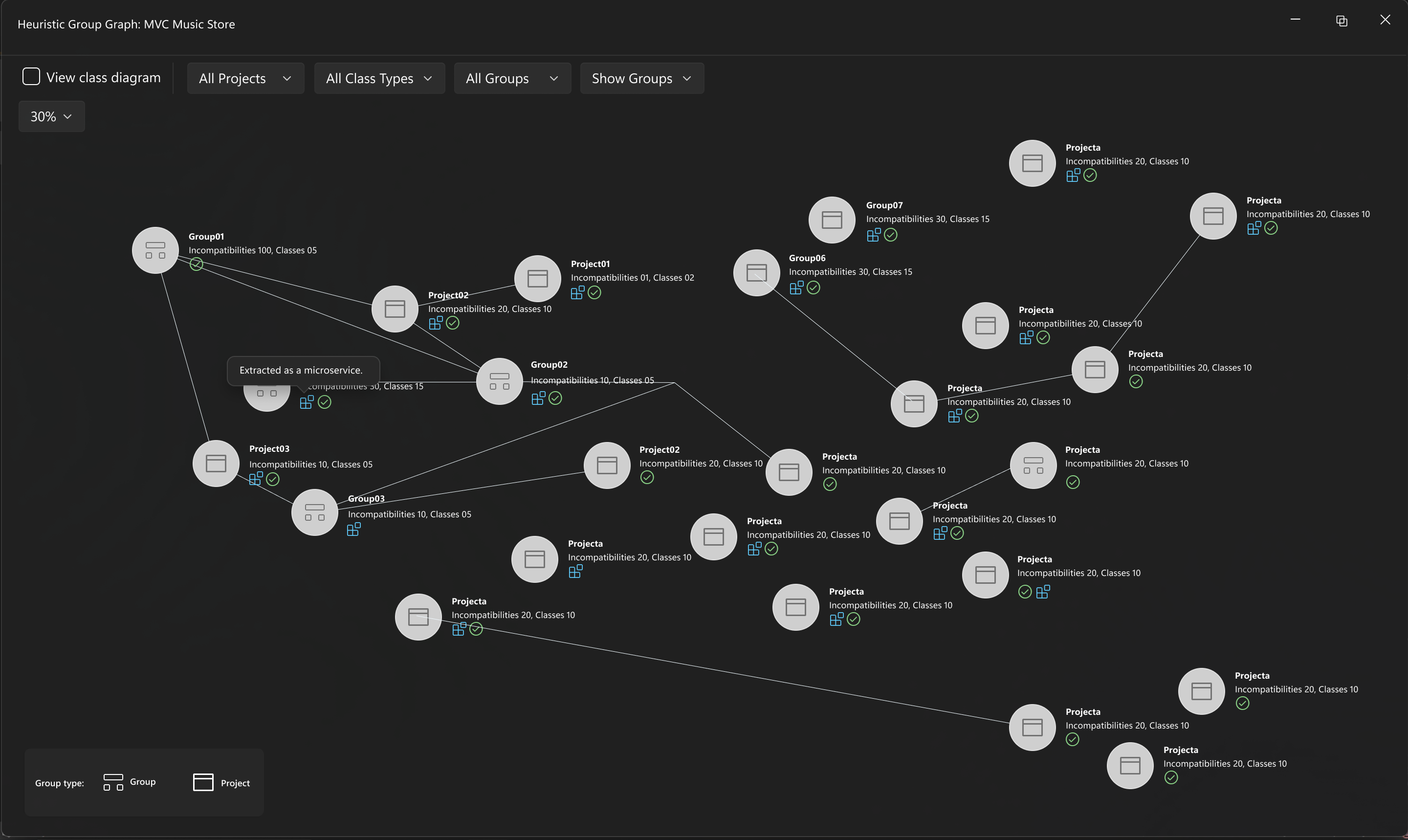
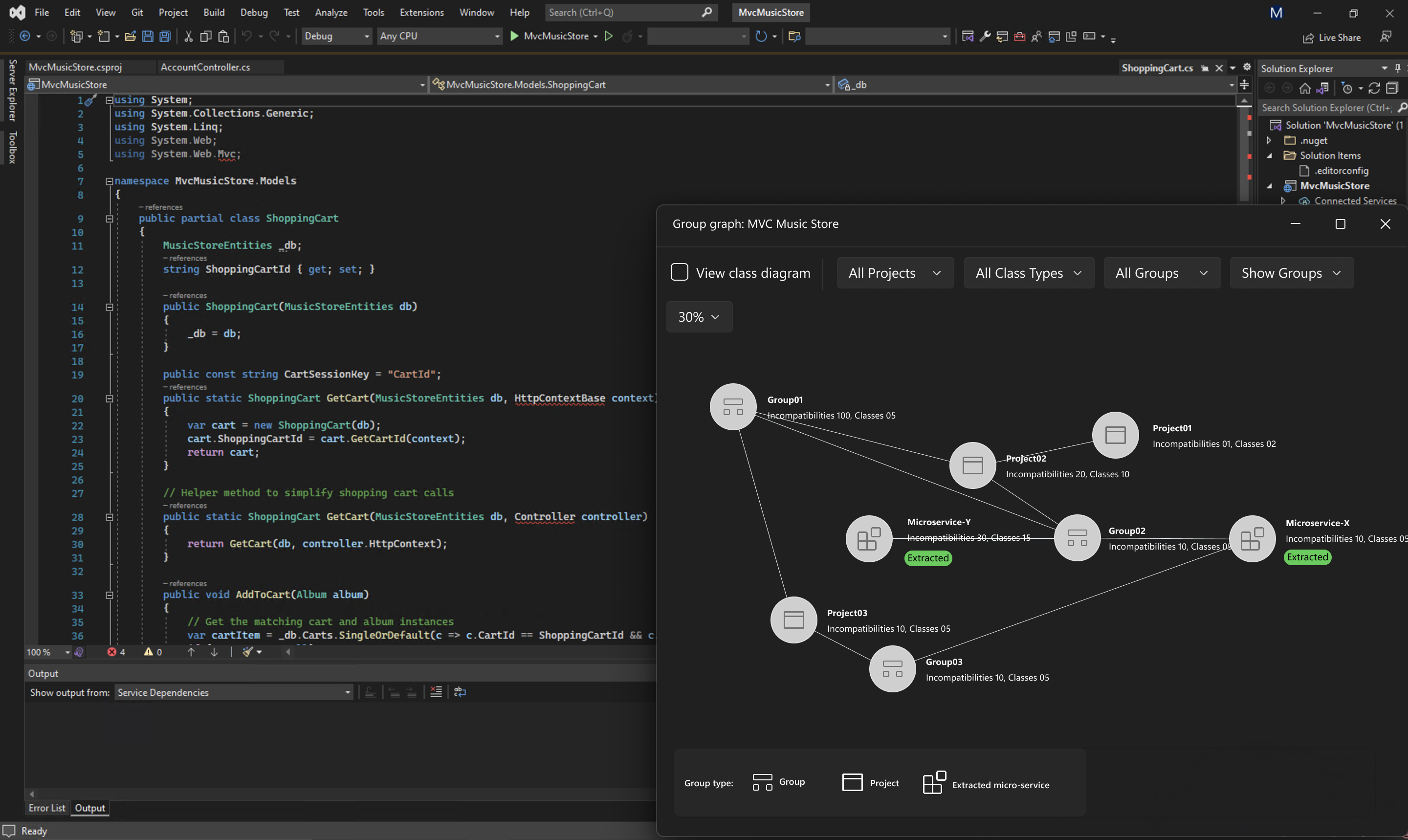
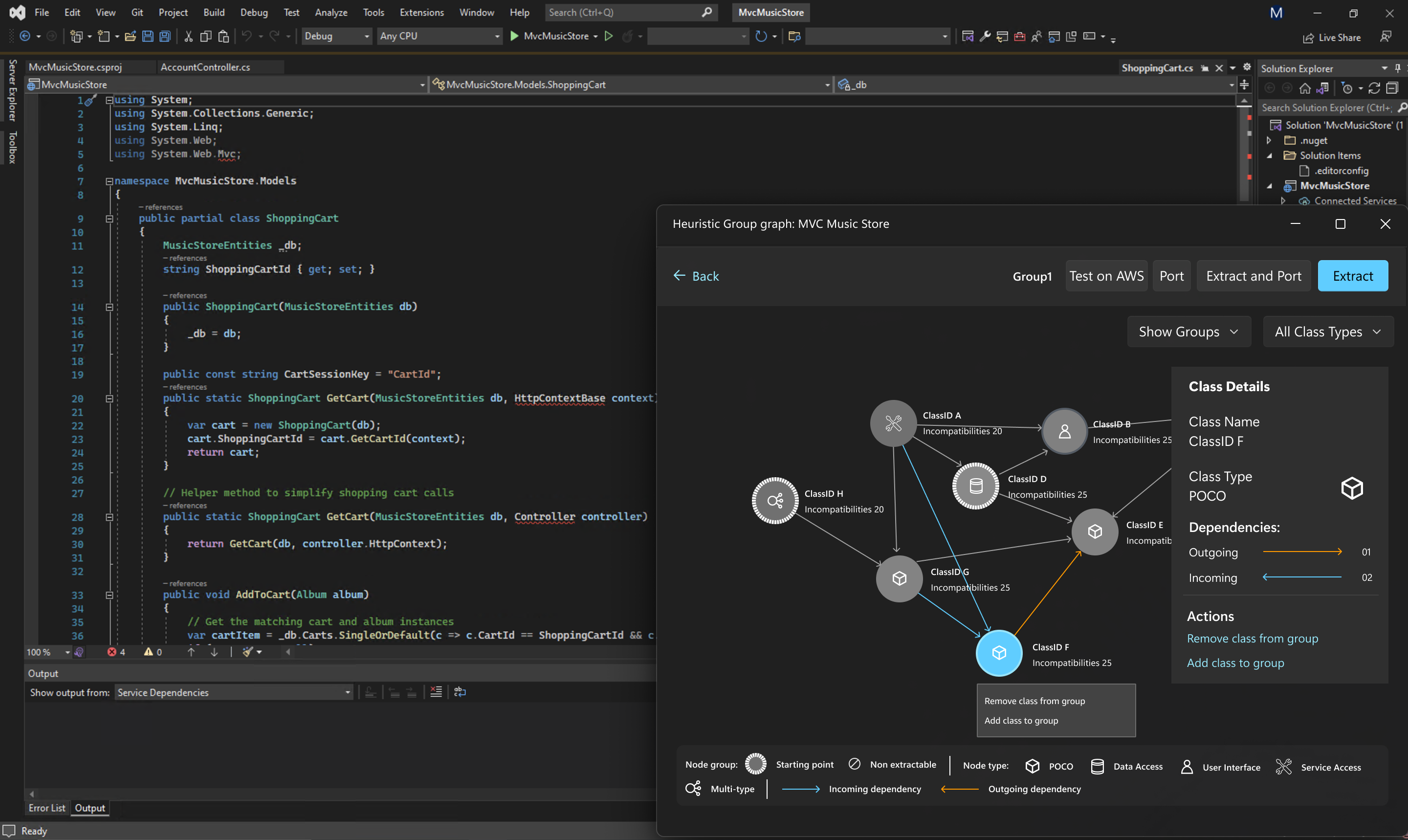
The monolith application has large code and thousands of classes represented when visualized in graphs. .NET microservice extraction visualization graph that analyzes and visualizes dependencies within a monolithic application’s source code. The tool automatically extracts services, modules, and their interconnections, presenting them as an interactive graph. This visualization helps developers quickly understand complex codebases, identify tightly coupled components, and plan microservice migration more effectively. By transforming hidden logic and dependencies into clear visual insights, the tool simplifies architecture refactoring, accelerates decision-making, and supports a smoother transition from monolithic to distributed systems.
The classes and nodes in Graph can be as large as 10K or 50K.
I designed a hierarchy of logically grouping codebase and components based on their architecture, that helped to filter out the graph from thousands of nodes to few hundreds of parent level groups.
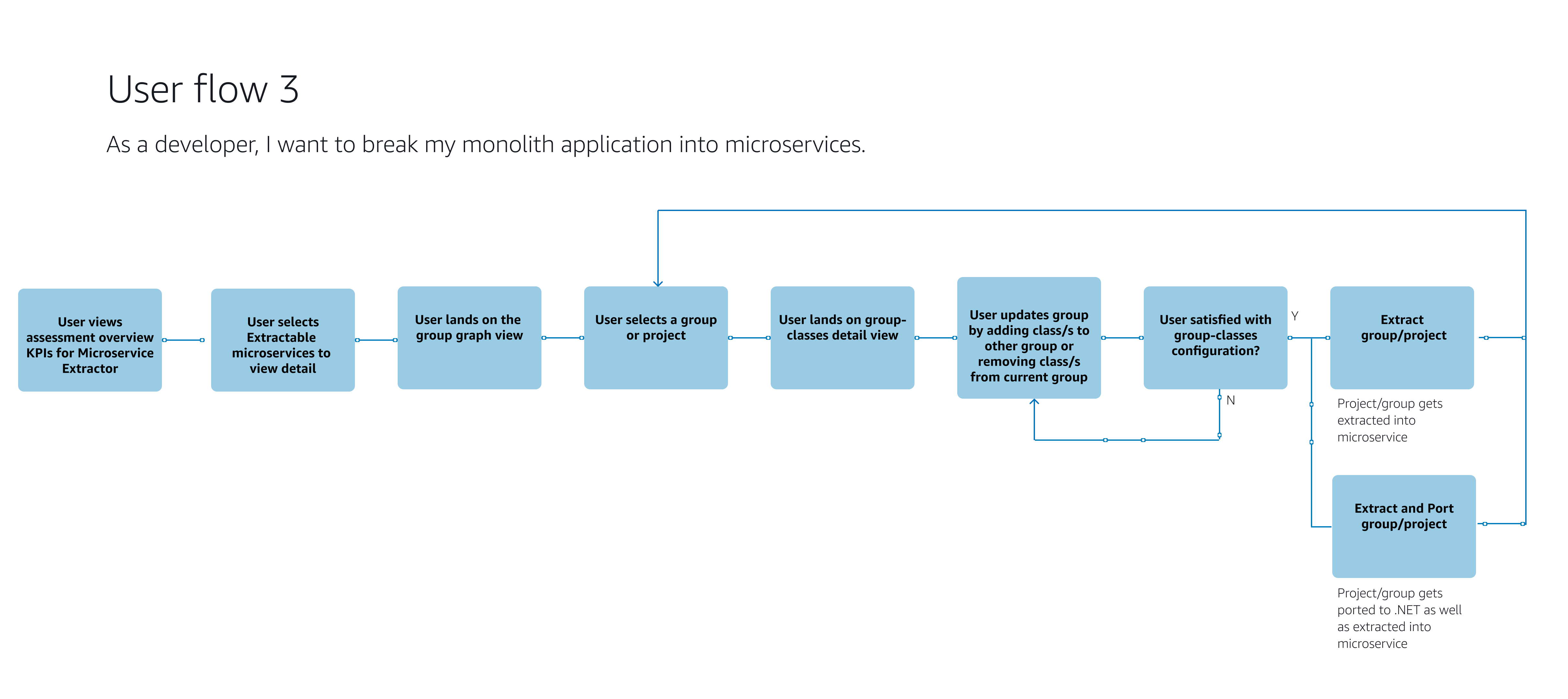
Customers have monolith applications that needs to be extracted in to smaller parts to make them manageable. This process takes multiple weeks and with this new tool customers can achieve faster, guided appraoch to extraction.
The graph was simplified with providing high level groups than can be expanded in to classes and nodes with further classification. The group showcases the incompatibilities as a data point suggesting the impact it may have if they refactor a group of classes by extracting it to micro service.
Once the extraction is complete, the graph shows the incompatibilities as removed. Customer can then test deploy the extracted micro service to ensure it runs as expected. This process is a iteration towards the overall modernization.
Port and test deploy
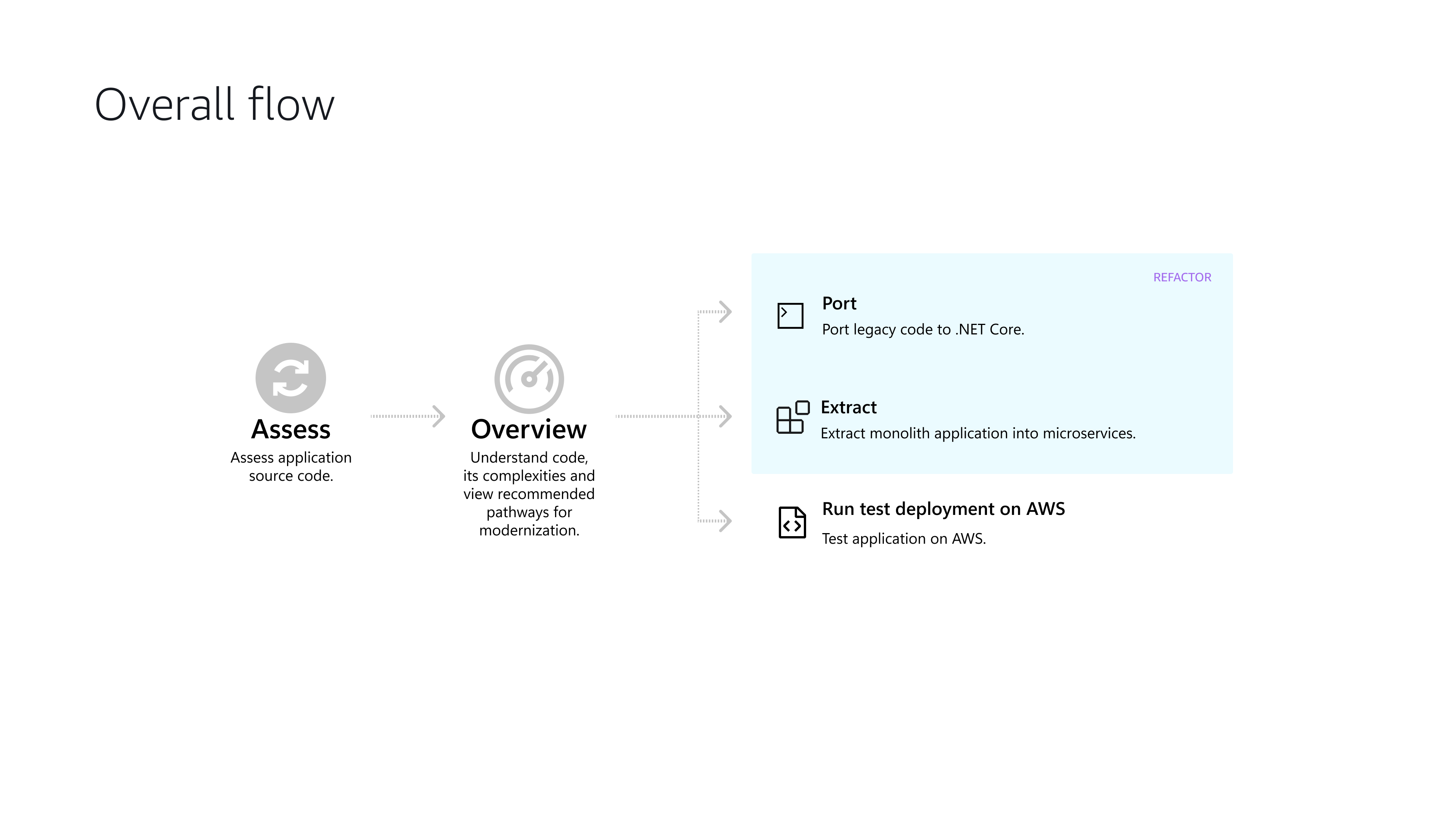
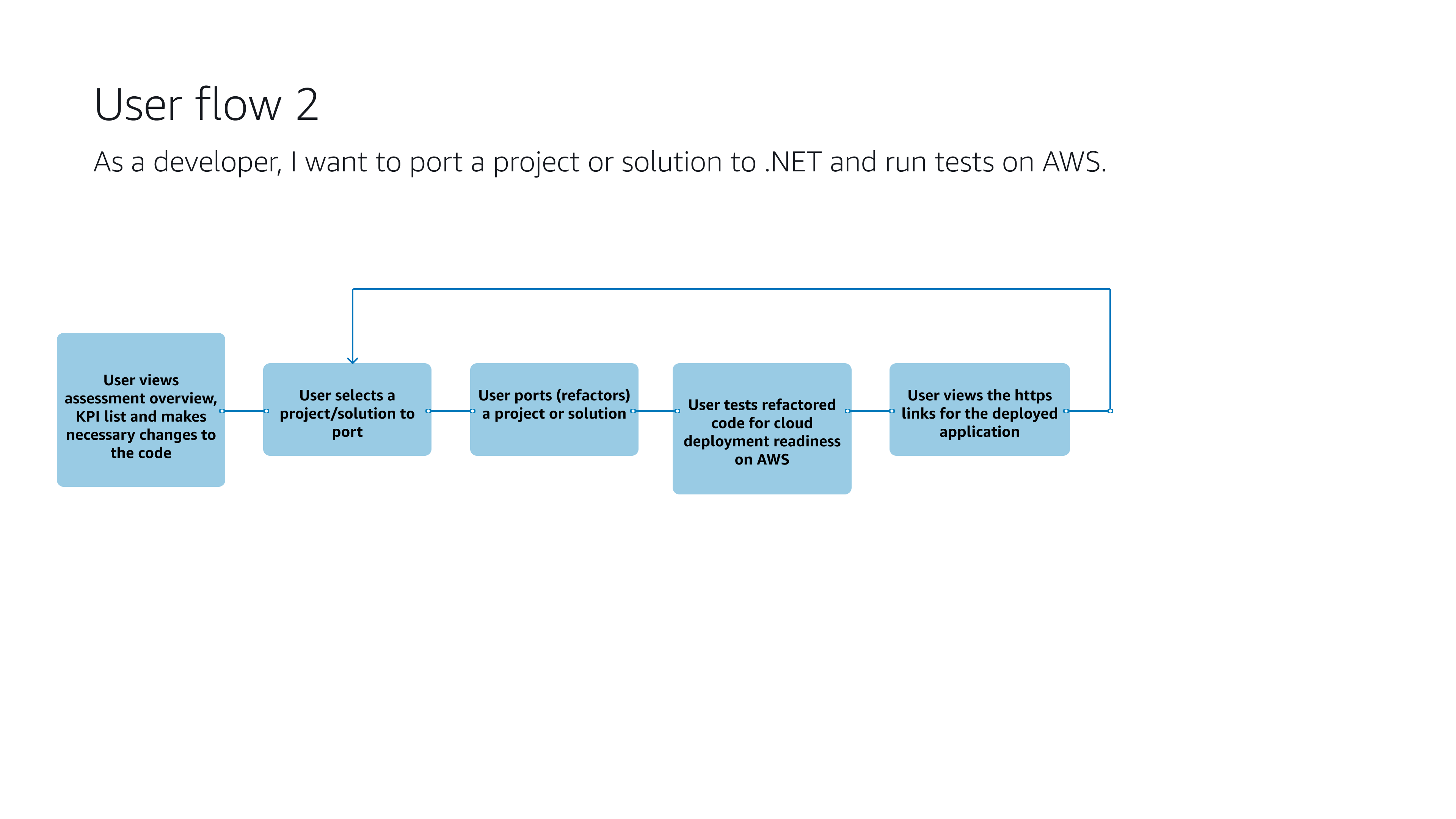
User can port the application to a dedicated .net version, which improves the code, and refactors it. Once ported a project, it can be deployed to ensure it works.
.vimeo-fixed-center { margin: 0 auto; }
Findings
After the first version was launched. I conducted UX research, gathered customer feedback on launched V1 and realized the users were still not clear on how everything works together.
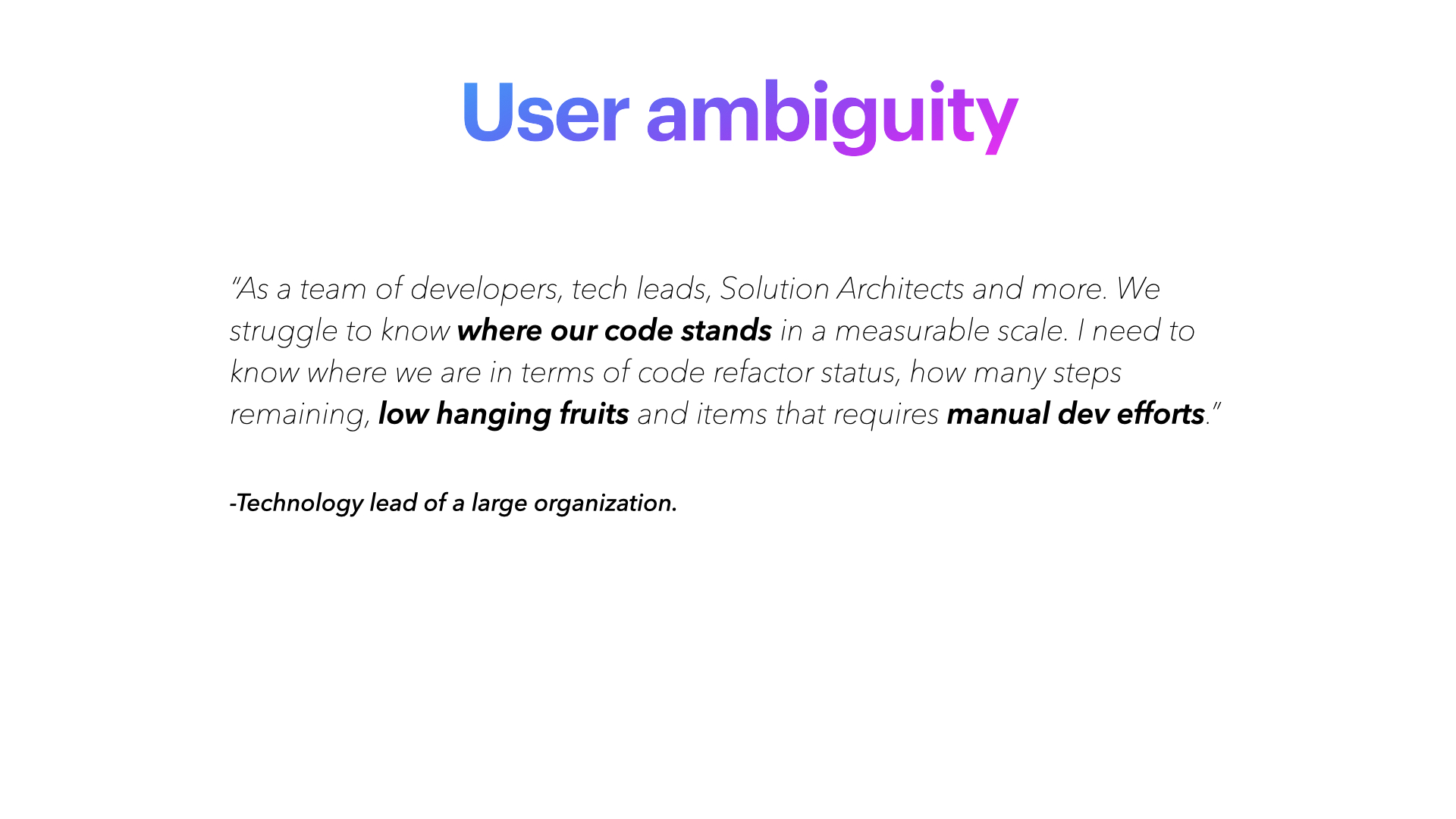
Users were successfully able to complete code refactoring and improvement to their source code. However, they were not clear on what is the status of their modernization. Where do they stand in this journey, what are the steps to become fully modernized?, what actions they need to take in order to be fully refactored.
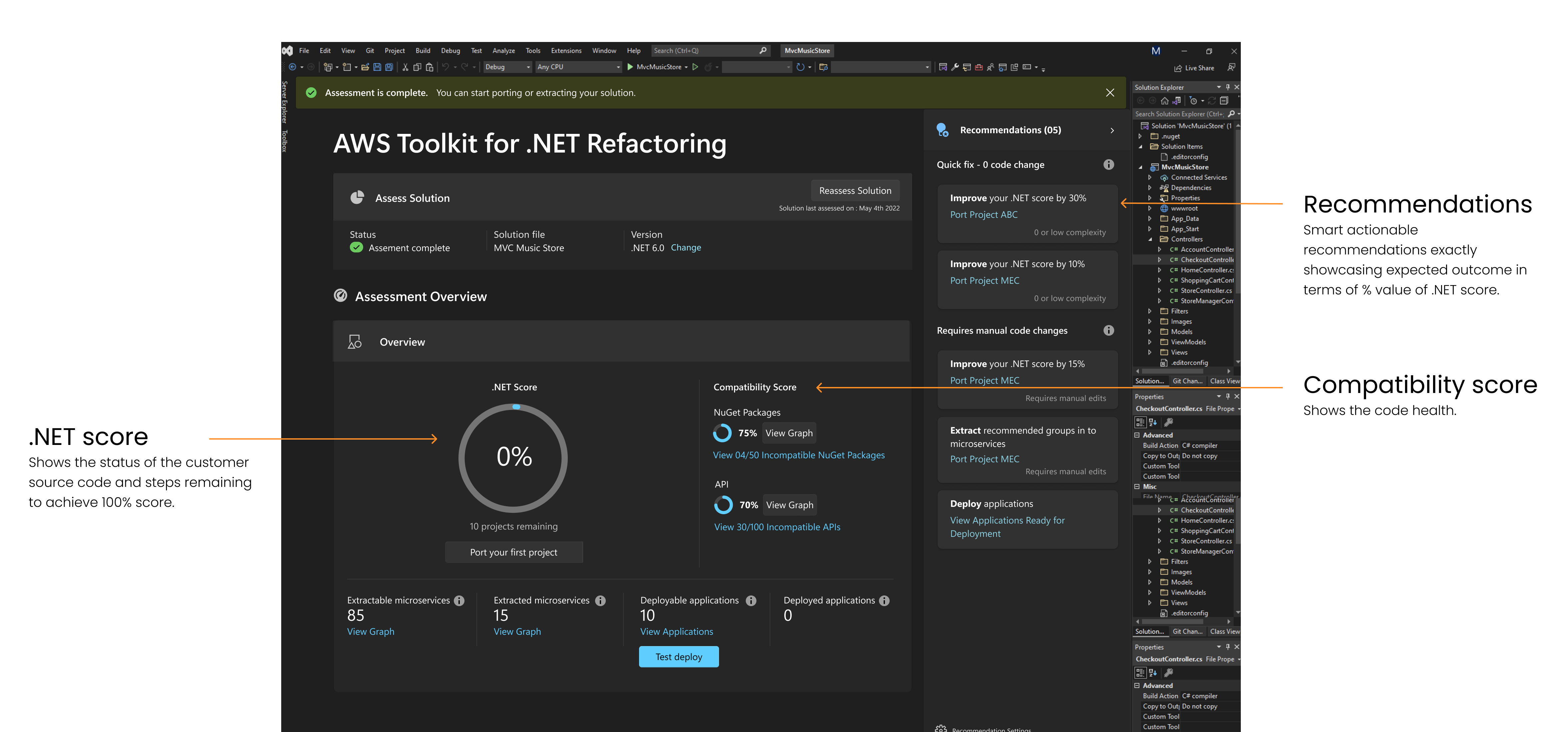
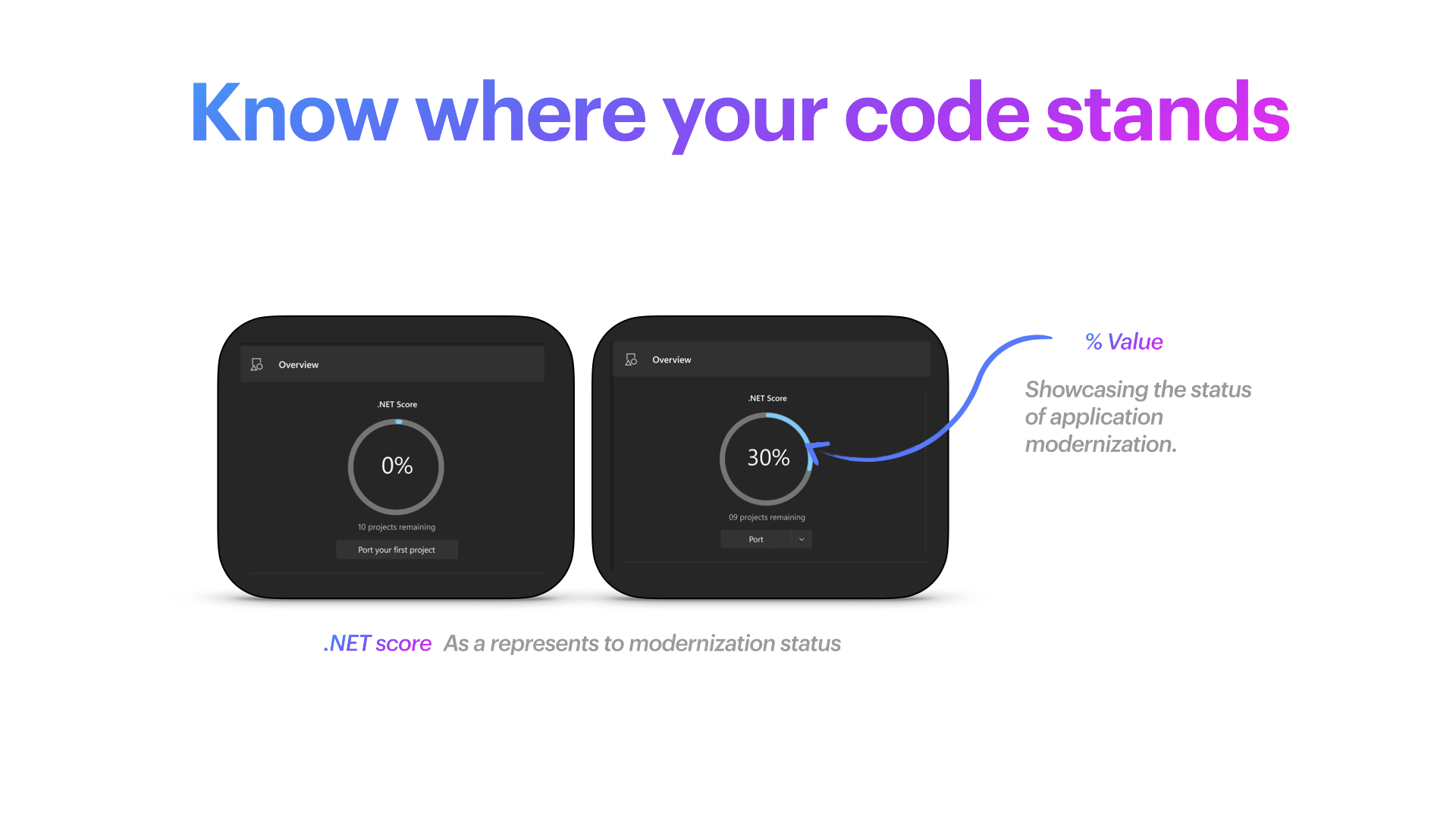
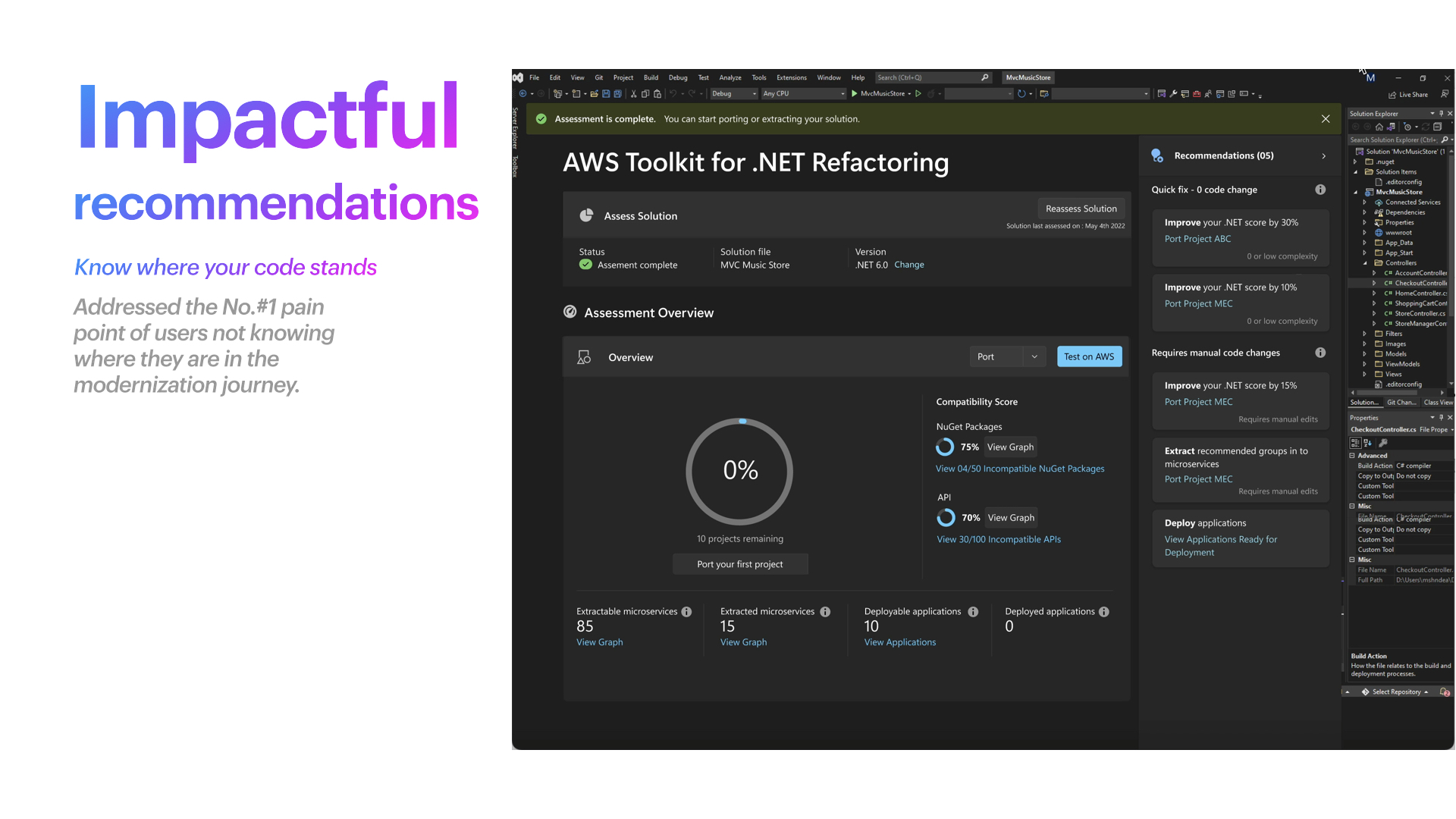
1. When I analyzed the problem I realized that the users are not provided with a single metric that reflects the starting point in the modernization journey. Example. A customer onboards the source code and the system shows them the .NET score at 20%. This becomes a single source for the users to track their modernization status.
2. The modernization score:
Since modernization score can be best represented in a % percentage. This can provide users a direction on where their application stands in the modernization scale. 20% is poorly modernized vs 90% is a well modernized application.
3. Steps to achieve the goal
The dashboard was redesigned in such a way that it shows users how many projects they are away to achieve 100% <NET SCORE in other words fully modernized. Today it was extremely difficult for them to undrstand where they are and how many years it may take for them to be modernized.
4. Smart Recommedations
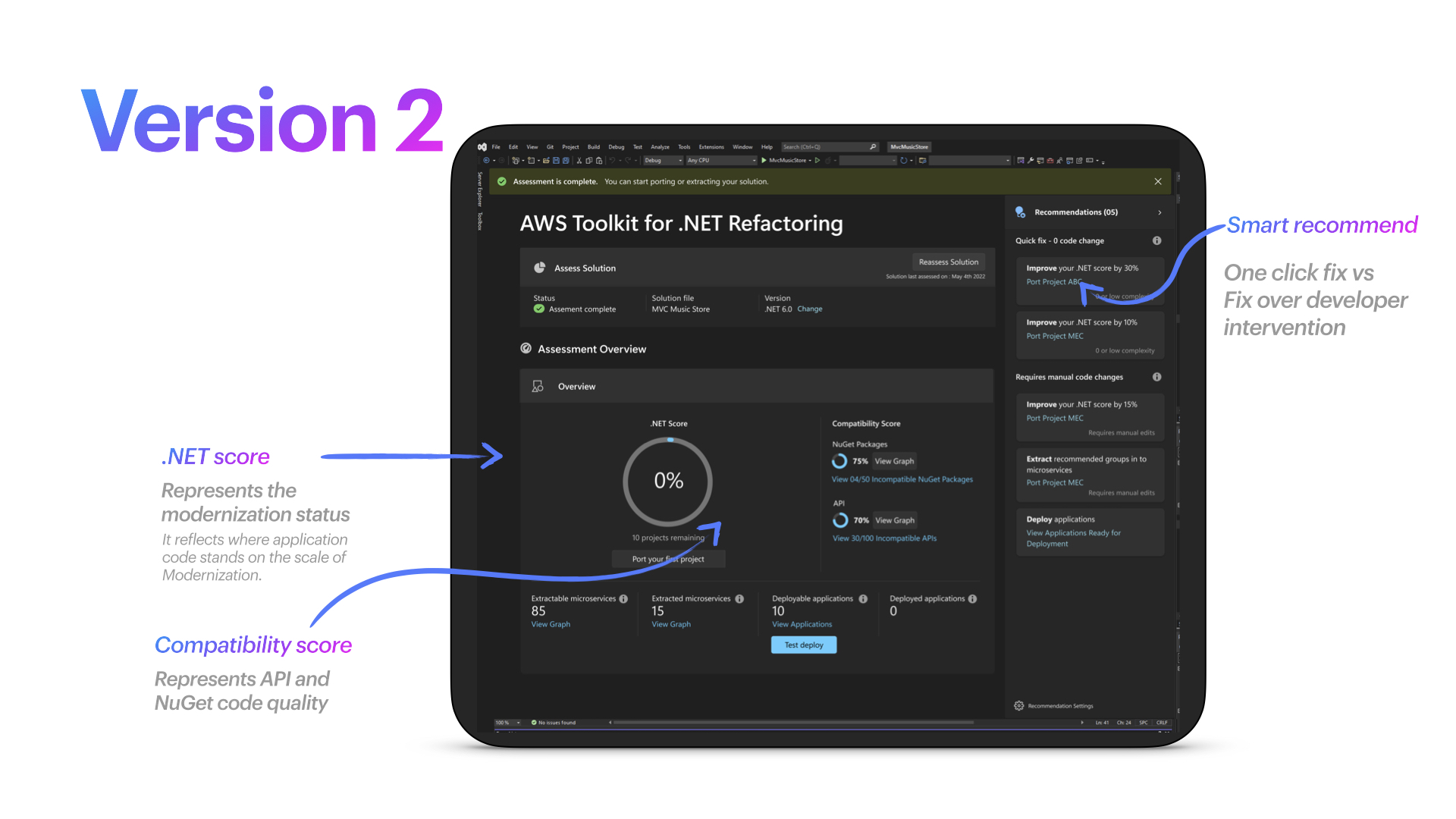
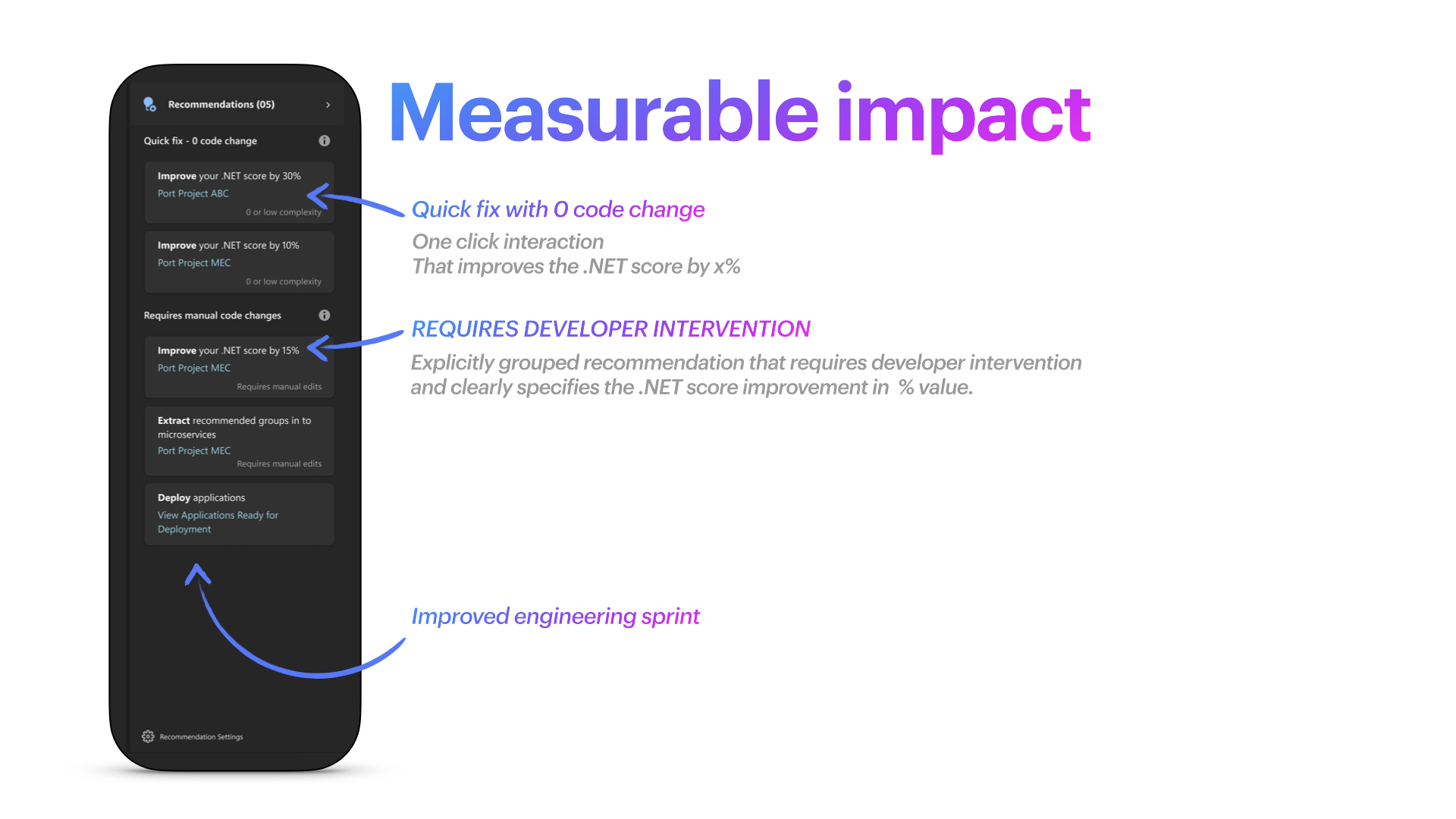
Users can get smart recommendation on actions that will exactly show them expected outcome in terms of % modernization achieved. One click to port recommended project gets them 30% .NET score, another click get them 20% more and so on.
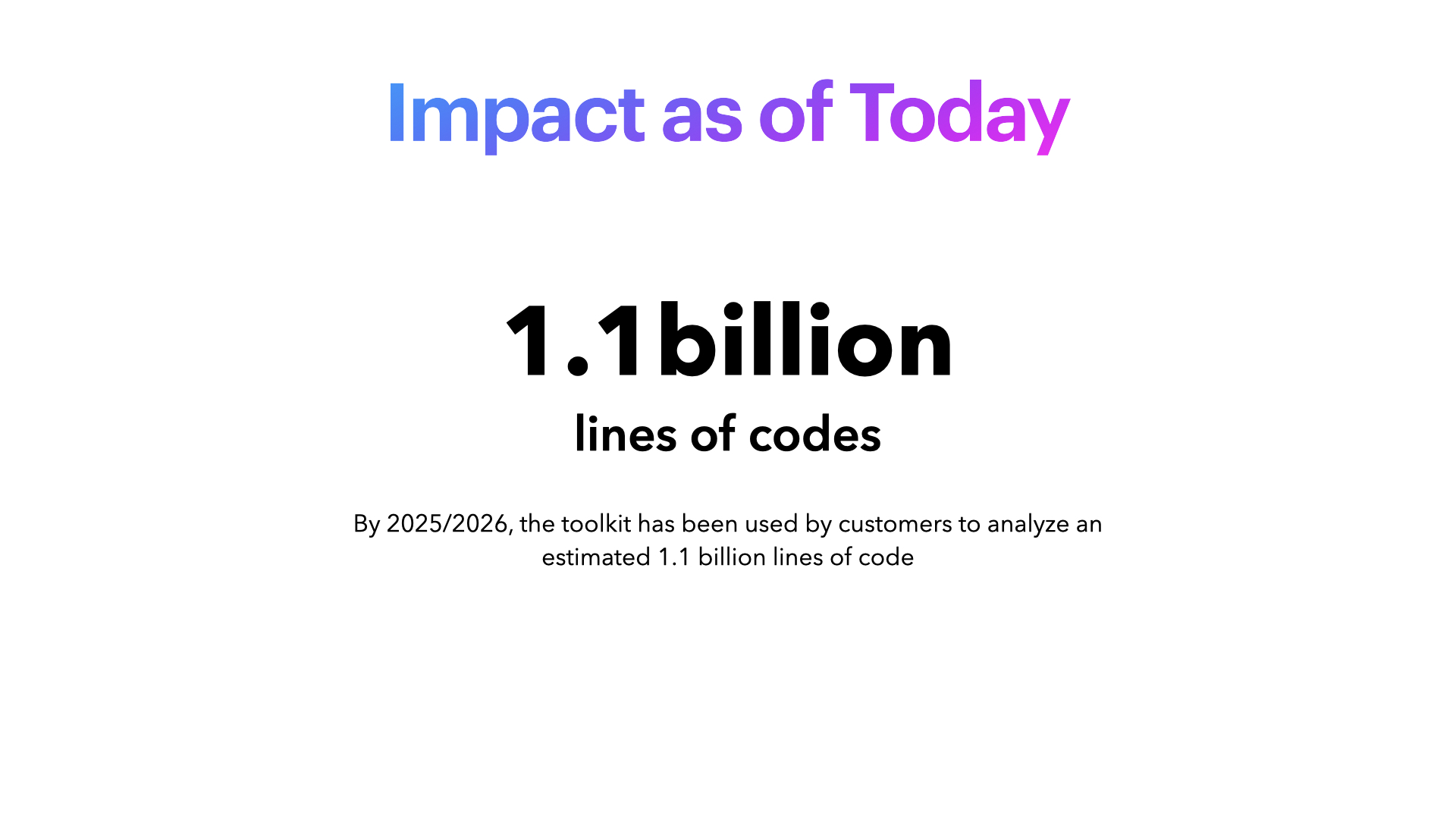
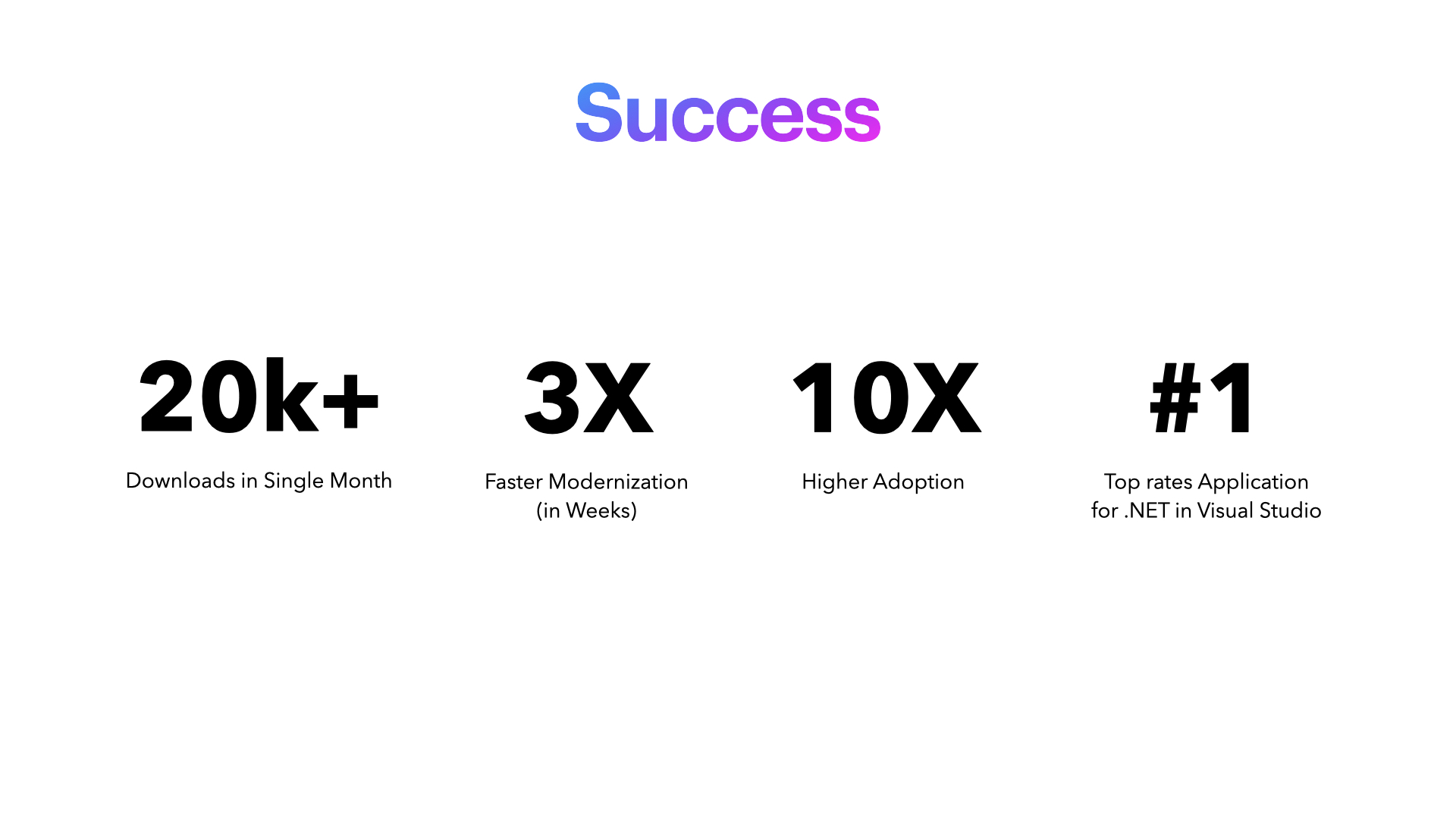
When we launched version 2 it became immediately a hit amongst developers, they loved the product as they could now plan their development sprints according to the recommendations. They now could get an exact % value of their modernization score. In Microsoft Visual Studio Marketplace the product had 30k+ downloads in first few months.
The AWS Toolkit for .NET Refactoring experience I designed helps developers quickly assess and modernize large monolithic .NET applications. The assessment dashboard surfaces an overall “.NET Score” that represents the current health and readiness of the codebase, along with the remaining steps required to reach a fully modernized state. It visualizes compatibility by highlighting NuGet package and API issues, and presents these as clear percentage‑based compatibility scores so teams can immediately see where technical debt is concentrated. On the right, the toolkit provides prioritized, actionable recommendations such as improving the .NET score by a specific percentage or extracting recommended groups into microservices so developers can move from insight to execution with minimal friction. This design turns a complex refactoring journey into a guided workflow, enabling teams to understand their legacy code, plan refactoring work, and track progress toward deployment‑ready modern .NET applications at a glance.